
Calypsi C
Calypsi C. Dan’s MEGA65 Digest for May 2026.
I enjoy writing assembly language. No seriously, I do. I like learning about how the computer works down to the bits and bytes, registers, clocks, and signals. I like knowing exactly what my program is going to do, and using bare metal debugging techniques to figure out why it isn’t doing what I want it to. I find it meditative to express algorithms in the simplest possible instructions. Writing a program in a low level language requires rigor, patience, and regular breathing exercises. But the end result is quite satisfying, like building a coffee table out of a nice piece of oak.
But sometimes you want to build a house. Systems and structures from construction lumber delivered on a flatbed truck, complex designs that need to be set up quickly and iterated upon to get the right result. A game like Tactical Strike needs intricate sets of rules, both for gameplay and for rendering graphics and sound effects. Expressing those rules in assembly language is unnecessarily tedious and error prone, and doesn’t lend itself well to prototyping and rapid refinement. I need a higher level language that’s good at expressing these structures while minimizing errors.
The most popular step up from assembly language is the C programming language. Especially on microcomputers like the MEGA65, C makes it easy to express structures for data and program flow without giving up bare metal control. To write a program in C, you use a compiler that translates your C program into equivalent machine code. As we saw in Cross Development for Fun and Profit, part 2, an optimizing compiler is often better than a human at writing assembly language, especially for large programs.
In this Digest, we will start a new journey, writing programs in the C language for the MEGA65. We will introduce the Calypsi C cross-compiler by Håkan Thörngren (also known as hth313 on the Discord), and try out some simple examples. We’ll also see how to access the MEGA65 hardware from a C program, and whatever else we may need for small-to-medium-sized projects. In a future Digest, we will follow up with tips and tricks for organizing larger projects that use more of the MEGA65’s capabilities.
Elite for the MEGA65
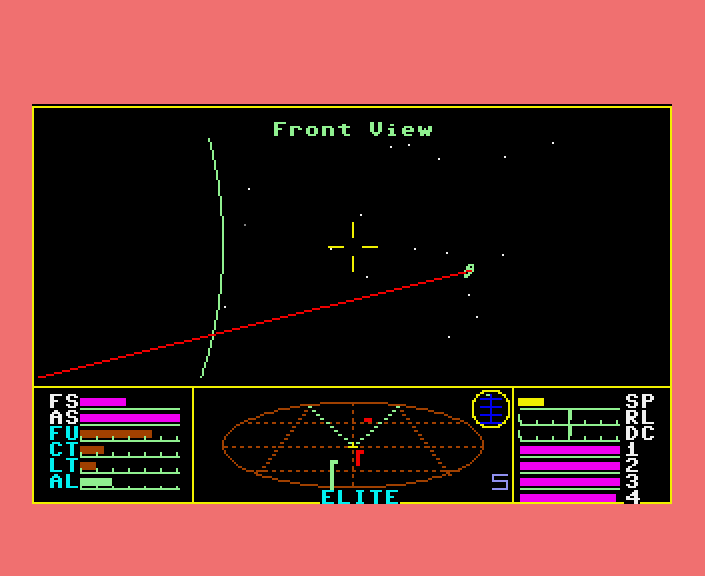
Elite, for the MEGA65.
The legendary space trading game Elite (1984) was so popular it was ported to every major platform of the era. Now thanks to xlar54, you can play Elite on your MEGA65.
Elite co-author Ian Bell released the original binaries and source files for multiple versions of the game on his personal website back in 1999, on Elite’s 15th anniversary. Not content with just a straight port of the C64 version, xlar54 combined segments of the original Elite binary code with his own MEGA65 graphics library. Check out the Github repo for details.
Command your Cobra space ship in a fantastic voyage of discovery and adventure, a supreme test of your combat, navigational and entrepreneurial skills.
Trade between countless planets, using the proceeds to equip your ship with heat-seeking missiles, beam lasers and other weapons - corporate states can be approached without risk, but unruly anarchies may be swarming with space pirates.
Black market trading can be lucrative but could result in skirmishes with local police and a price on your head!
However you make your money, by fair means or foul, you must blast onwards through space annihilating pirate ships and hostile aliens as you strive to earn your reputation as one of the Elite!
M65Compiler
While I was writing this month’s feature article about the Calypsi C language cross-compiler tool chain, Craig Taylor (ctalkobt) released a new C language cross-compiler tool chain, which he just calls the M65Compiler. The project’s goal is to specialize in producing efficient MEGA65 programs, able to take advantage of the 45GS02 CPU and abstract away upper memory access. The tool chain includes a C compiler, assembler, linker, and other useful tools. M65Compiler is new, and as of this writing ctalkobt is still building out the standard library implementation.
Maybe in a later Digest we can compare the various C compilers with MEGA65 support. For now, we can support ctalkobt on this project release, and give it a spin. You can clone the project from Github, and build it for your PC with the traditional GNU build tools.
C64 Core updates in alpha testing
MJoergen and sy2002 are back, and they’re making big improvements to the C64 core. In particular, they’re responding to community requests for greater compatibility with unusual cartridges. Other enhancements include the ability to use the simulated REU in tandem with both hardware cartridges and CRT ROM files. This improves support for configurations used by some modern games, utility cartridges, and C64 OS.
See this Discord post to download the latest alpha release and help test. We could especially use more testers with access to unusual hardware cartridges. And of course, watch the skies for the upcoming formal release of C64 Core version 6.
Introducing Calypsi
Calypsi is a cross-development tool chain for writing C programs for multiple vintage and retro computing platforms. The tools are closed source, and free to use. By the time we’re done here, you’ll want to support the project with a donation, so keep that link handy.
The tool chain is available for several target platforms: the MOS 6502 and MEGA65 45GS02, the WDC 65816 with support for the Wildbits F256 (née Foenix F256), and the Motorola 68000 with support for the Foenix A2560 and the Amiga. There’s also a version of Calypsi for the HP-41 Nut and NEWT processors for the HP-41 series of calculators, which I’ll be excited to try another time.
For the host platform, Calypsi is available for macOS, Linux, and Windows. These are cross-development tools: you author your project on your PC, use the tools to build the PRG, then transfer them to your MEGA65 (or the Xemu emulator) to run it.
Setting up Calypsi C for the MEGA65
Download the 6502 version of the Calypsi C compiler for your host platform:
- Visit the Calypsi website, where you can find a link to the latest release.
- Locate and download the
calypsi-6502package with the highest version number for your host platform. macOS users, look for the.pkgfile. Windows users will want the.zipfile. Linux users, pick either the.deb,.rpm, or.pkg.tar.zst, as suits your system. - Back on the releases page, scroll through the assets, and click on “Show all” to reveal more files. Download the user’s guide,
Calypsi6502Guide.pdf.
The user’s guide has detailed installation instructions for each platform. For macOS users, I will add my obligatory rant about unsigned binaries. When you double-click on the .pkg file, it won’t open: macOS will complain that it can’t verify the file. Click Cancel; resist macOS’s desire to throw it in the trash. Open System Preferences, Privacy & Security, and scroll way down to where it says “‘calypsi-6502-5.17.pkg’ was blocked to protect your Mac.” Click “Open Anyway,” then click “Open Anyway” in the dialog that opens. Follow the prompts to authenticate and install Calypsi C.
You may need to adjust your command path for your platform. On macOS, Calypsi installs to /usr/local/bin/, which is typically already on your command path. You can invoke the cc6502 command to test it, like so:
> cc6502 --version
Calypsi ISO C compiler for 6502 version 5.17
It’s worth locating the Calypsi home directory. In the case of macOS, this is /usr/local/lib/calypsi-6502/. There’s fun and useful stuff in here.
Don’t want it any more? Run this script: /usr/local/lib/calypsi-6502/uninstall
Compiling a program, step by step
Let’s start with a classic. Create a C source file named hello.c with the following contents:
#include <stdio.h>

int main() {
  printf("HELLO WORLD!\n");
  return 0;
}
Even though there’s almost nothing about this program that’s specific to the MEGA65, Calypsi will convert this to a MEGA65 PRG. Indeed, that’s one of the reasons the C language exists in the first place. With some constraints, a C program can be written in a way that it behaves as intended no matter what computer you run it on, as long as you have a C compiler for that computer. The language (in theory) is portable.
You may have noticed that the iconic message HELLO WORLD! uses uppercase letters. This appears as a matching all-uppercase message in Commodore’s default uppercase text mode, but there is some nuance. We’ll take a closer look in a moment.
There are two phases to converting a program from C source code into the target computer’s machine code. The first phase is compilation, performed by a compiler. The compiler takes C source files (.c) as input and produces object files (.o) as output. Try this now, with the Calypsi cc6502 command:
cc6502 --target=mega65 hello.c
This produces the object file hello.o. An object file contains a mix of machine code for the target platform, in this case the MEGA65, and information about how the source file is organized. In this case, the source file contains a definition of a function named main() that takes no arguments and returns a value of type int. The object file represents this fact for later use. A project can have multiple C source files, and each source file is compiled to its own object file.
The second phase is linking, performed by a linker. This takes all of the object files and sews them together to make the final machine code program. Run the Calypsi ln6502 command on our single object file to build the runnable MEGA65 PRG file:
ln6502 --target=mega65 --output-format=prg -o hello.prg mega65-plain.scm hello.o
The mega65-plain.scm file is a configuration file that is included with Calypsi. It tells Calypsi how to build simple MEGA65 programs. We’ll cover this bit in a later issue of the Digest; for now, just know that it is required for Calypsi’s linker.
The linker produces the file hello.prg that you can run in the Xemu emulator or on real hardware. See the earlier Digest articles Cross Development for Fun and Profit, part 1 and part 2 for a reminder on how to get PRG files from your PC to your MEGA65. With Xemu, you can start the emulator, then drag and drop the PRG file onto the window. Alternatively, you can invoke Xemu from the command line such that it loads and runs the hello.prg program, like so:
/Applications/Xemu/xmega65.app/Contents/MacOS/xmega65 -prg hello.prg
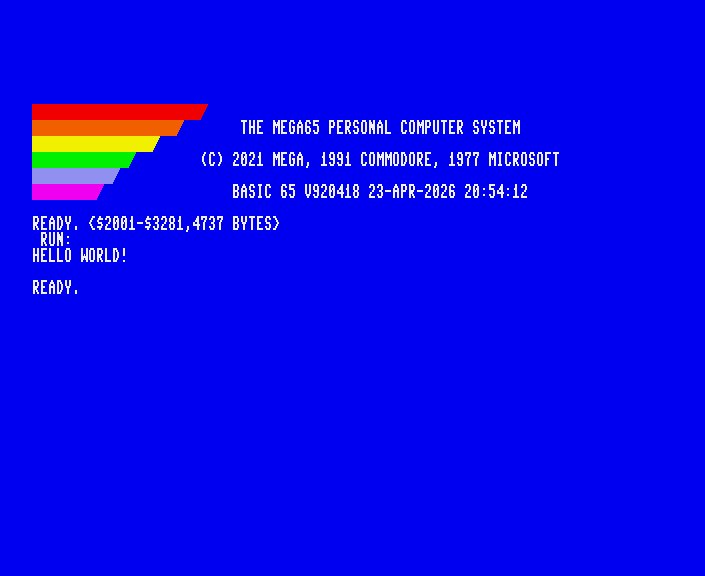
Either way, Xemu starts up the MEGA65 ROM, injects the PRG file into memory, then invokes the RUN command. HELLO WORLD! is the output of the program. On real hardware, you won’t see the address advisory on the screen. Xemu prints that message itself when it injects a PRG.
Setting up the MEGA65 starter project
Managing a project of multiple source files is one of the strengths of the C language. Once you have lots of files, you’ll want a better way to invoke the compiler and linker for the entire project without typing the commands out every time.
By far the most popular way to do this is with GNU Make, a build automation suite. The make command is included with Linux, can be installed on macOS via the Xcode Command Line Tools (run this command to install: xcode-select --install), and is available for Windows in various ways.
Once you have make installed, download the Calypsi MEGA65 starter project. Unzip the file to create a project directory. The most useful file here is Makefile, which knows how to invoke the compiler and the linker with all of the appropriate arguments. Change your command shell’s current working directory to the project, then run make:
cd Calypsi-MEGA65-hello-world
make
How to end a program
The starter project keeps its C source code in the src/ subdirectory. The file main.c is identical to our hello.c, except for two additional lines:
// Preserve zero page to make it possible to return to BASIC
#pragma require __preserve_zp
This #pragma line tells Calypsi to inject additional code that stashes the contents of the internal memory of the BASIC interpreter before the beginning of the program, just before calling main(), then restores them after the end of the program, just after return 0;. This is handy for playing with common examples of C programs that you might find in books, so you can run a program, then get back to a READY. prompt, so you can run it again, or inspect the state of the system with the MONITOR. We didn’t need it in hello.c because the program was very simple, but other programs benefit from this #pragma if returning to the READY. prompt is important.
The C language was originally written for the Unix operating system, which has powerful features for running programs as commands at the command prompt, also known as the “command shell” for how it acts as an intermediary between the program and the operating system. The MEGA65 does not have such a command shell, so some of these features are limited. For example, on a Unix-like system, return 0; returns an integer (int) value of 0 from the main() program to the command shell, indicating that the program completed successfully. On the MEGA65, changing this to a non-zero value (255) has no effect, whereas a Unix-like command shell would report the return value to the user as an error code.
Of course, your program is not obligated to return to the READY. prompt, and many Commodore programs don’t. Programs like games change too much system state to be able to return to BASIC cleanly. Your finished program may opt to just never exit, like a game that displays its main menu after a “Game Over.” During development, you might have a point in the program that intentionally enters an infinite loop:
int main () {
  printf("STAY HERE!\n");

  while(1) {}
}
Calypsi allows the main() function to have a void return type, so control flow can reach the end of the function without an explicit return statement. With an int return type, main() must return an integer, or never return.
void main() {
  printf("HELLO WORLD!\n");
}
ASCII and PETSCII
Like nearly all example C programs, these examples print messages to the screen. When Calypsi encounters a character or string literal value in the source code, it uses the ASCII encoding to convert the characters to bytes for the final program. Commodore computers use PETSCII, not ASCII, so a little bit of care is needed.
Every classic introduction to the C language starts with a program that calls the printf() function in the C standard library, like so:
printf("Hello world!\n");
By default, Calypsi interprets this string of characters as ASCII codes, and has the MEGA65 print those codes directly. The MEGA65 interprets them as PETSCII, and the message that appears on the screen doesn’t look like it does in the source file.
The first character in the message is an uppercase H in the source code. In ASCII, this is code 72 (in decimal). In the Commodore default text mode of uppercase and graphics characters, code 72 is an uppercase H, so this appears correctly.
The second character in the message is a lowercase e. In ASCII, this is code 101. The PETSCII character 101 is one of the vertical bar graphics characters—actually Shift + E on the keyboard. In uppercase-and-graphics text mode, all of the ASCII lowercase characters will appear as PETSCII graphics characters, which isn’t what this code intends.
The easiest thing to do is make all of the letters uppercase, and assume the program is starting in uppercase-and-graphics text mode:
printf("HELLO WORLD!\n");
Now the letters appear on screen like they do in the C source code: HELLO WORLD! But what if we really want it to say Hello world! in mixed case?
The default uppercase-and-graphics text mode doesn’t have lowercase letters, so we need to switch to lowercase-and-uppercase mode. There is a PETSCII code for this, code 14. In BASIC 65, you might PRINT CHR$(14) to achieve this.
In C, you can use the special sequence \x followed by the hexadecimal representation of the code, in this case 14 = $0E. It looks like this in the string:
printf("\x0eHELLO WORLD!\n");
Now all of the uppercase letters in source appear as lowercase on screen: hello world! That’s better, but we want the H to appear in uppercase.
PETSCII keeps its uppercase letters at codes where ASCII keeps its lowercase letters, and vice versa. One way to capitalize the H in the final PETSCII message is to use a lowercase h in the source code:
printf("\x0ehELLO WORLD!\n");
Mission accomplished: Hello world! Personally, I’ve gotten used to this when using tools that don’t know PETSCII, but it is a bit odd looking and difficult to remember.
Calypsi v5.17 has a simple feature to help with this. If you give the compiler the command line option --string-literals=shifted-petscii, Calypsi will swap the letter casing in string and character literals. Add this to your Makefile, or use it when running the cc6502 command:
cc6502 --target=mega65 --string-literals=shifted-petscii hello.c
Now, as long as you’re printing the PETSCII code to switch to lowercase mode, you can use proper letter casing in the source file, and get the intended result.
printf("\x0eHello world!\n");
You only need to switch to lowercase mode once, and all characters on the screen will appear in this mode. You may also want to emit code 11 (\x0b), which locks the ability for the user to switch modes by pressing Mega + Shift.
  printf("\x0e\x0b");
  // ...

  printf("Hello world!\n");
How to end a line

The canonical C Hello World program ends the message with another special sequence, a backslash and a lowercase N: \n. The backslash tells the compiler that the next characters are an escape sequence, representing bytes that can’t be typed into the string and still conform to C syntax. There are escape sequences to represent non-typeable ASCII control codes, raw byte values, and the C string syntax characters single quote, double quote, and backslash itself.
Most C programs intend \n as a way to move the cursor to the beginning of the next line. The history of this maneuver on teletypes and screen terminals is fraught, to say the least.
In a typewriter mechanism, moving the cursor to the beginning of the next line is two actions: one action to feed the paper up by one line, and another to return the carriage all the way to the right, so that the next typing position is in the first column. Manual typewriters had various designs for this over the years, but the one that’s most familiar to me is a big lever on the carriage. Pushing the lever a little bit feeds the paper up by one line, and shoving the lever the rest of the way with some force returns the carriage to the first column. One big push performs both actions.
The ASCII standard assigns separate terminal control codes for each of these actions: the line feed (LF) is code 10, and the carriage return (CR) is code 13. Some people like to tell a story of how this was necessary to accommodate the first mechanical teleprinters to support ASCII codes, such as the Teletype Model 33. As the story goes, the Teletype needed to keep up with characters fed to it at a certain speed. But in the time that it takes for the teletype to perform a “carriage return,” moving the print head back to its home position, it might receive another code. If the Model 33 received a printable character while it was moving the print head, it would smear the character wherever the print head was at the time. With CR and LF as separate codes, in that order, the teletype could perform the line feed while it is still moving the print head for the carriage return.
This story is somewhat apocryphal, at least with regards to ASCII. The CR and LF codes pre-date ASCII—and the automated teleprinters that would use them.
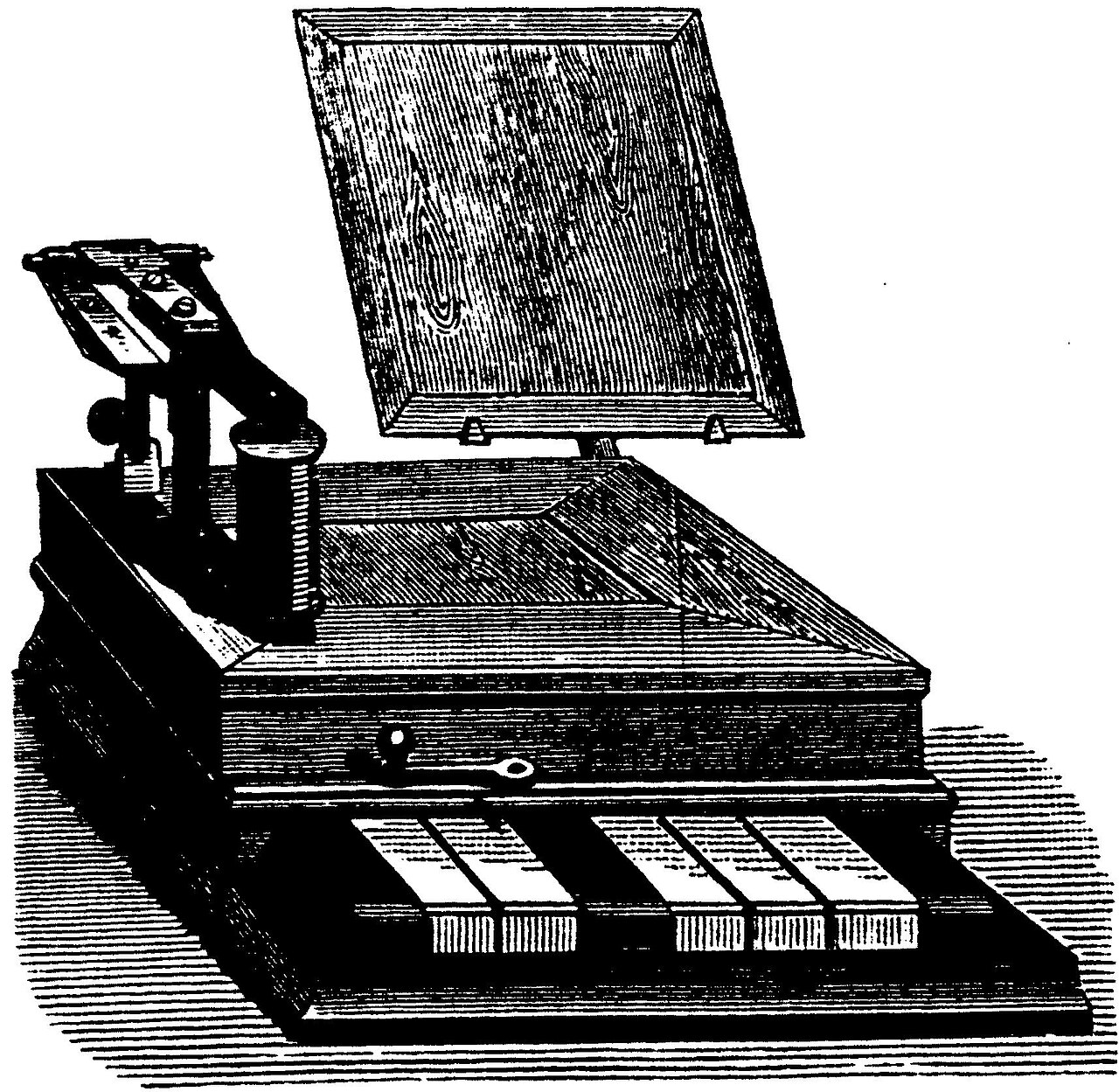
In 1833, physicists Carl Friedrich Gauss and Wilhelm Eduard Weber invented the first electromagnetic telegraph. They constructed a communication line between the Göttingen Observatory with the institute for physics in the town center.
From 1837 to 1844, Samuel Morse, Joseph Henry, and Alfred Vail developed Morse code, a method of encoding textual messages over early commercial telegraph lines. Each line carried a single binary state (on or off), and Morse code used pulse duration and pauses to encode messages. By this point, inventors were already developing mechanisms to record received signals on paper tape, and speed up the transmission and receive process performed by human operators. Morse’s original code transmitted only numbers, to correspond to entries in a code book. Vail expanded the code to include letters, numbers, and special characters that would spell out full messages. The single-bit nature of the code made it useful in other contexts, such as radio transmissions.
From 1870 to 1876, French telegraph engineer Émile Baudot sought to improve on the speed of transmitting Morse code specifically over wires. He originally imagined a six-bit code, entered by an operator using a six key chorded keyboard, sent in parallel over six lines. Based on an idea from Gauss and Weber themselves, Baudot reduced this to five keys and five lines by splitting the six-bit code space into two five-bit code spaces, with reserved “shift” codes to switch between them mid-message. The five-bit Baudot code kept letters in the first set, and numbers and symbols in the second set. To make the most out of using up five lines, transmission workstations would seat four operators simultaneously, and a motorized mechanism would multiplex the messages on a rhythmic cadence.
Converting between text messages and codes was a specialized task, and entering codes by hand was arduous. In 1901, Donald Murray proposed modifications to Baudot code to accommodate typewriter-like keyboard entry on the encoding side, and eventually mechanized typing on the decoding side. Murray’s system performed the encoding and decoding offline: the transmitting operator used an alphanumeric keyboard to prepare messages as 5-bit codes on paper tape to be transmitted, and the receiving end would punch the codes back onto paper tape automatically, to be decoded and re-typed as text later. Murray imagined that the receiver could recreate full documents based on these encoded instructions, so he included the first-ever control codes in Murray code: one for carriage return, and one for line feed.
Both Baudot code and Murray code were in active commercial use on competing networks. With multiple codes in play, the International Telecommunication Union committee on long-distance telegraphy, the CCIT, advocated for standardization at their 1st Plenary Assembly in 1926. The Baudot code was adopted as International Telegraph Alphabet Nr. 1 (ITA1). At the 2nd Plenary Assembly of the CCIT in 1929, the ITA1 standard added carriage return and line feed, inspired by the Murray code. The revised ITA2 was standardized in 1932.
The ASCII standard, published in 1963, had teletypes in mind, but also data storage, computation, network transmission, and additional input and output devices. ASCII was a 7-bit successor to the 5-bit ITA2, replacing Baudot’s shift mechanism with a dedicated character bit, and re-ordering codes for collatability, sorting letters alphabetically and numbers numerically. To facilitate the transition to ASCII, the Western Electric TWX network needed to support both ITA2 and ASCII simultaneously. TWX translation bridges used a real-time signal converter that could only convert single codes, and could not translate two ITA2 codes into a single ASCII code. So ASCII kept CR and LF as separate codes.
Early computer mainframe operating systems, especially those by the Digital Equipment Corporation (DEC), stored both CR and LF codes as line endings in data files, and sent them verbatim to teletypes and terminals. Later microcomputer operating systems such as CP/M and MS-DOS retained this convention. Meanwhile, Multics took a different path, establishing LF alone as sufficient to end a line, for more optimal use of memory and data storage. Multics systems would translate LF to CR+LF only when sending data to a terminal that needed it. Unix and several others—notably the Amiga—followed Multics. Commodore 8-bits, older Macs, and others decided CR was sufficient for their micros. So much for standards.
Having originated on Unix, the C language specifies that the \n escape sequence means the single code for line feed, ASCII code 10. To reconcile the divergent standards across platforms, the C standard library insists that the program declare whether it is reading from or writing to a terminal or data file in “text mode” or in “binary mode.” In text mode, a platform-specific implementation of the standard library translates between \n (code 10) in program memory and the platform-specific line ending received from or sent to the device.
Starting with version 5.17, Calypsi offers text mode newline translation from the standard library for Commodore targets. When your program uses printf() and the like to send code 10 to the screen terminal or a text file, it is output as code 13, and everything works as intended.
Using the C standard library
The printf() function is provided by the C standard input/output (I/O) library. The program declares its intent to use this function with this line:
#include <stdio.h>
Calypsi includes an implementation of the C standard library that interfaces with the Commodore KERNAL for terminal and disk operations. The Commodore KERNAL doesn’t support all of the same features as a Unix-like system, so this is a best effort. You’ll find good support for examples from beginner books on the C language.
Here is a program that prints the dimensions of a rectangular prism, prompts for its width, then calculates and reports its volume. You could compile and run this program on nearly every computer with a C compiler.
#include <stdio.h>

// Preserve zero page to make it possible to return to BASIC
#pragma require __preserve_zp

int main() {
  int height, length, width, volume;

  height = 3;
  length = 4;
  printf("HEIGHT = %d, LENGTH = %d\n", height, length);

  printf("WIDTH? ");
  scanf("%d", &width);

  volume = height * length * width;
  printf("\nVOLUME = %d\n", volume);

  return 0;
}
When you use the C standard library in your program, Calypsi tries to optimize the PRG file to contain only the parts that you use. This can still be quite a bit of code, even for small programs. With space optimization enabled (the default), this example compiles to a PRG of 12,831 bytes. Considering that a simple MEGA65 program—one that doesn’t use memory mapping or disk loading tricks—has to fit in 40,958 bytes, that’s quite a commitment of space.
If I drop the scanf() call from this program and replace it with a hard-coded width, such as width = 5;, my PRG size drops to 4,936 bytes. Calypsi sees that I don’t need any of the scanf() support code and leaves it out.
Here is an example of reading data from a file, using the standard library:
#include <stdio.h>
#include <stdlib.h>

// Preserve zero page to make it possible to return to BASIC
#pragma require __preserve_zp

#define FILE_NAME "EXAMPLE.DAT"
#define LOAD_ADDR 0x7000
#define MAX_LENGTH 1024

void main() {
  FILE *fp;

  fp = fopen(FILE_NAME, "rb");
  if (fp == NULL) {
	printf("CAN'T OPEN %s\n", FILE_NAME);
	return;
  }

  int ch;
  char *load_addr = (char *)LOAD_ADDR;
  while ((ch = fgetc(fp)) != EOF && load_addr < (char *)(LOAD_ADDR + MAX_LENGTH)) {
	*load_addr++ = ch;
  }

  fclose(fp);
}
Given a SEQ file on the currently mounted disk in drive unit 8 named EXAMPLE.DAT, this reads that file (up to a maximum of 1,024 bytes) and stores it at address $7000.
C primitive value types
The C standard describes its fundamental data types in terms of minimum bit sizes. Especially on microcomputers and embedded systems where memory is at a premium, it’s important to know exactly how much memory the compiler uses for each C type.
The three integer value types are char, int, and long. You’ll be using these most often.
char is an 8-bit (one byte) value. It can be signed or unsigned. If the type just says char, it can store either signed or unsigned values. Signed values are stored as Two’s complement, the most popular method that assigns exactly one value to each of the 256 possible representations.
int is a 16-bit (two byte) value. It can also be signed or unsigned. On the MEGA65, multi-byte integers are stored Little Endian. This means you can use these types to write to multi-byte registers without issue.
long is a 32-bit (four byte) value. There’s also a long long type that is a 64-bit (eight byte) value.
Obnoxiously, the integer sizes are merely minimums in the standard. A program using an int might get 16 bits on one platform and 32 bits on another. Calypsi implements the C99 standard, which includes the stdint.h standard library. This provides a set of type specifiers for integers that lock in their sizes. I always use these. It just overloads my brain to think the compiler might be giving something I don’t expect.
#include <stdint.h>

uint8_t get_border_color() {
  return *((uint8_t *)0xd020);
}
Calypsi supports the C language floating point value types float and double, which can store small fractional values or very large values with limited precision. As with other Commodores, the MEGA65 does not have a math co-processor, so all floating point math is implemented by Calypsi as software, similar to BASIC 65. This means floating point math can be disappointingly slow. Unless you really need it, you might prefer to use the integer types and implement your own fixed-point math. For example, it is highly recommended in computing to represent amounts of money as an integer number of cents (1599) instead of a fractional number of dollars (15.99), because you don’t want floating point imprecision to accidentally round amounts of money up or down in a transaction.
The C99 standard provides a Boolean (true/false) value type in the stdbool.h standard library. This library adds bool as a type and true and false as value macros.
#include <stdbool.h>

void main() {
  int value;
  bool isNegative;

  value = 300 - 750;
  isNegative = value < 0;
  if (isNegative == true) {
    printf("%d IS NEGATIVE!\n", value);
  } else {
    printf("%d IS POSITIVE!\n", value);
  }
}
Accessing hardware registers
Playing with the C standard library is fun, but it won’t be long before you’ll want to access MEGA65 hardware registers from your C programs. This is easy enough with C pointers.
Here’s a simple example of assigning the address of the VIC border color register to a pointer variable, then using it to change the border color.
void main() {
  volatile char *border = (char *)0xd020;

  // Change the border color to green.
  *border = 5;

  // Pause indefinitely.
  while(1) {}
}
You can use scarier-looking C syntax to avoid the variable:
*((volatile char *)0xd020) = 5;
Notice that this short program doesn’t need any #include statements or the #pragma that supports returning to BASIC. This compiles to a PRG file of 545 bytes. Of course, the equivalent assembly language program might only be a couple of dozen bytes. The compiler includes a bit of overhead for setting up general purpose C programs. You might be able to reduce that with changes to Calypsi’s configuration, but you usually won’t need to.
We can also read from a register in a similar way. The following program cycles the border color as long as the Mega key is pressed.
void main() {
  volatile char *border = (char *)0xd020;
  volatile char *modkey = (char *)0xd611;

  while(1) {
    (*border)++;

    while (!(*modkey & 0b00001000)) {}
  }
}
It’s a best practice to use the volatile keyword for all pointers to registers. This tells Calypsi that the hardware at that address may not behave like regular memory, so the optimizer shouldn’t assume that it does. For example, if a hardware register is connected to the joystick port, reading it multiple times in a row might return different values as the player pushes the joystick around. If Calypsi believes that the address is pointing to regular memory, it might see two attempts to read it without any attempt to write to it in between, and think “Oh, that memory doesn’t change, so I won’t bother to read it twice.” volatile tells Calypsi to preserve every attempt the code makes to read and write at that address.
Examining the compiled machine code
You can learn a lot about a compiler from the machine code that it generates. Even for very short programs, Calypsi generates enough preamble and postamble that it’s difficult to figure out what’s going on from running the PRG through a disassembler. Calypsi is more than happy to help. Give the compiler the --list-file argument, and it will create a text file for each C source file, explaining everything it figured out about how to compile the C code to assembly language.
The starter project already has this argument in its Makefile. As written, the build creates .lst files in the obj/ directory, alongside the .o files.
Let’s consider the shortest program so far, changing the border color:
int main() {
  *((volatile char *)0xd020) = 5;
  return 0;
}
Put this in main.c, then build (make). Open the obj/main.lst file that it creates in your text editor.
For the sake of brevity, let’s just look at the assembly language instructions themselves:
0001                int main() {
    \ 0000                      .section code,text
    \ 0000                      .public main
    \ 0000          main:
0002                  *((volatile char *)0xd020) = 5;
    \ 0000 a905                 lda     #5
    \ 0002 8d20d0               sta     0xd020
0003                  return 0;
    \ 0005 a900                 lda     #0
    \ 0007 85..                 sta     zp:_Zp
    \ 0009 85..                 sta     zp:_Zp+1
0004                }
    \ 000b 60                   rts
Nice! This is pretty much what we hoped to see: a concise expression of the code in equivalent assembly language. It uses 0x instead of $ as the prefix for the hexadecimal address d020, but otherwise the code is familiar. The code for return 0; is instructive. It looks like main() stores its return value in a zero page variable before returning to the outermost support code.
Earlier we put the border address in a variable to make the code easier to read. Does this change what machine code gets generated? Let’s try it:
int main () {
  volatile char *border = (volatile char *)0xd020;
  *border = 5;
  return 0;
}
It looks like yes, Calypsi cautiously decides to store the address in a zero page location, then uses indirect addressing.
0001                int main () {
    \ 0000                      .section code,text
    \ 0000                      .public main
    \ 0000          main:
0002                  volatile char *border = (volatile char *)0xd020;
    \ 0000 a920                 lda     #32
    \ 0002 85..                 sta     zp:_Zp
    \ 0004 a9d0                 lda     #208
    \ 0006 85..                 sta     zp:_Zp+1
0003                  *border = 5;
    \ 0008 a905                 lda     #5
    \ 000a a000                 ldy     #0
    \ 000c 91..                 sta     (_Zp),y
0004                  return 0;
    \ 000e a900                 lda     #0
    \ 0010 85..                 sta     zp:_Zp
    \ 0012 85..                 sta     zp:_Zp+1
0005                }
    \ 0014 60                   rts
Try tweaking the C source code and re-build the list file to get a sense of how Calypsi makes decisions.
The linker can also take a --list-file argument, and the starter project includes this as well. In addition to the hello.prg file, it produced a file named hello-mega65.lst. This will come in handy when we take a closer look at how Calypsi manages memory, in a later Digest.
mega65.h
The MEGA65 I/O registers always have the same addresses and structures. It would be nice if we just had a pre-made list, so we can access all of these registers by name. Well, good news! Discord user wombat (Github user mlund) created such a library for the llvm-mos-sdk project, another C tool chain with MEGA65 support. Via the open source license, Calypsi includes this library as well.
We can rewrite our border color example using the provided structures, like so:
#include <mega65.h>

void main() {
  VICIV.bordercol = 5;
}
The mega65.h library provides structures for the VIC-II, VIC-III, and VIC-IV register layouts, as well as the SID chips, Hypervisor, the 6526 CIA chips, and the 45E100 ethernet controller. The library also includes bit masks for registers that only use certain bits of a byte register. There are no fancy abstractions on top of the registers. This is just a way to give the registers a convenient set of names for use in programs.
The best documentation for the register structures is the header files themselves. Browse your Calypsi files to find them. On macOS, they are under this path:
/usr/local/lib/calypsi-6502/contrib/MEGA65-SDK/include/
Reading these files requires a modest understanding of C structure definitions. The main thing to notice is that mega65.h provides top-level macros that refer to the register structures from their actual addresses, so the compiler doesn’t bother with pointer variables and accesses memory directly. VICIV.bordercol = 5; is equivalent to: *((char *)0xd020) = 5;
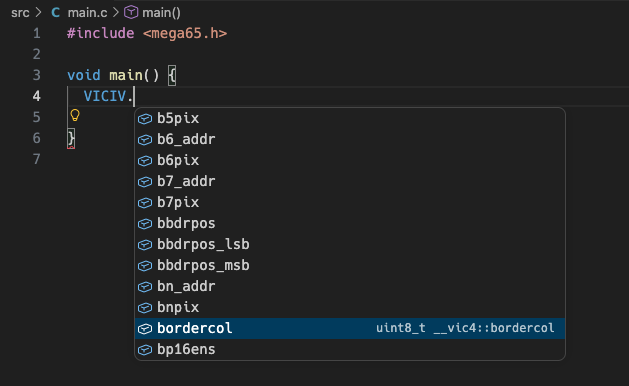
Structures like these also empower code editors to make these easy to find interactively, without having to look up or memorize addresses. Make sure your IDE knows about the .../include/ directory that contains mega65.h. For example, if you’re using VS Code, add the file .vscode/settings.json to the workspace with this setting:
{
  "C_Cpp.default.includePath": [
    "/usr/local/lib/calypsi-6502/contrib/MEGA65-SDK/include/"
  ]
}
Now when you type VICIV. in the editor, it shows all of the named VIC-IV registers, with their value types. Some of these have inner structures, which you can also browse in the same way.
Using multiple source files
So far so good. But we won’t get far piling all of our code into main.c. Let’s look at a quick example of a project with multiple source files.
If the entire program is in a single C source file, the compiler can figure out everything it needs to know to generate all of the program’s machine code. Each function becomes a machine code subroutine, with additional code to handle argument passing and return values. Variables are reserved memory. The addresses for the subroutines and variable memory are determined by the linker when it calculates the final program.
A C compiler only considers one source file at a time. This might feel a bit odd compared to modern languages, but modern languages run on modern machines with tons of memory and ultra-fast CPUs. C compilers were designed to run on mainframes and microcomputers with limited memory. By separating the compilation and linking phases, the intensive compilation process only needs to consider a small piece of the program at a time.
To do this, the compiler needs help understanding when a function or variable being referenced in one C source file is actually provided by another C source file. It doesn’t need the full definition to understand the reference, it just needs to know the name and the value types. You can provide these in a declaration.
Try this. Create a C source file named numbers.c in the src/ directory with definitions for these functions:
int twice(int x) {
  return x*2;
}

int thrice(int x) {
  return x*3;
}
With the starter project, we also need to tell the Makefile about the new module so it gets compiled. Edit Makefile and change the C_SRCS line, like so:
C_SRCS = main.c numbers.c
Next, write the following in src/main.c:
#include <stdio.h>

void main() {
  int value = 11;

  int twice_result = twice(value);
  printf("TWICE: %d\n", twice_result);

  int thrice_result = thrice(value);
  printf("THRICE: %d\n", thrice_result);
}
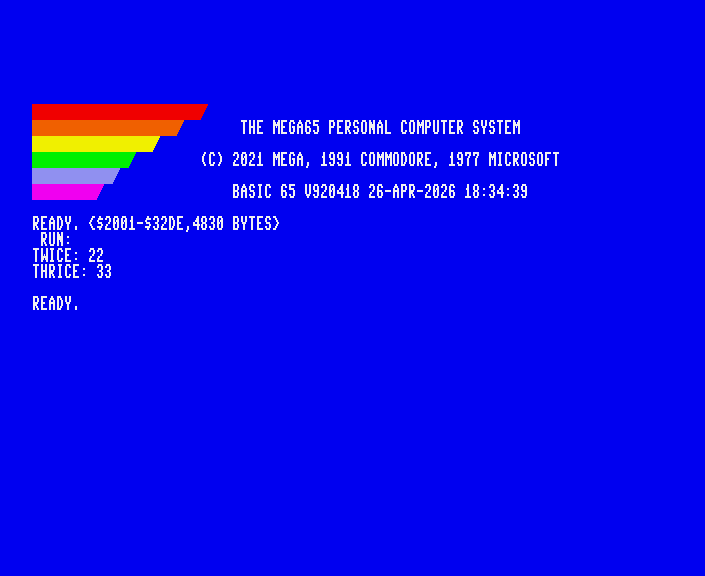
Try building the project with the make command.
When Calypsi compiles main.c, it prints two warnings: “implicit declaration of function” It doesn’t know anything about the definitions of these functions in numbers.c when it is compiling main.c. By default, it assumes you know what you’re doing, and that these functions will show up later in the linking process. No offense, but this is a generous assumption. It would be much easier for us if the compiler would report undeclared functions as errors. If we mistype a function name, it shouldn’t assume that it’s a real function.
Moreover, these implicit declarations interfere with another of the compiler’s important tasks: type checking. It happens to be the case that the twice() and thrice() are functions that accept an int-type value as an argument and return another int-type value. These “implicit declarations” assume as much, but these assumptions won’t always be correct. We want the compiler to catch us if we accidentally try to provide an argument value of the wrong type, or use a return value as a wrong type.
Older versions of C allow these error-prone implicit declarations. In the 1999 version of the C standard (C99), implicit declarations are specified as warnings. A standards-compliant C compiler is obligated to alert you when they happen, but the build still proceeds under the old assumptions.
Warnings are bad, and if you’re starting a new project, it’s a good idea to take them seriously. The best way to take them seriously is to tell Calypsi to treat all warnings like errors and halt the build. To do this, provide the -Werror command-line argument to the compiler. I recommend adding this to your Makefile.
Let’s try declaring these functions in main.c. Add these lines to main.c above the definition of the main() function:
int twice(int x);
int thrice(int x);
These declarations inform the compiler that if it ever sees code that uses the twice() or thrice() functions, it can safely assume that the definitions will be linked in later. And the compiler has the value type information it needs to check our work. If the code tries to use a function named “qwice,” that’s probably a mistake.
Try building again. The warnings are gone, and the program builds successfully.
In practice, it’s a pain to put declarations of every function at the top of every C file that uses them. C has a better way. This is what the #include statements we’ve been using are for: they pull in all of a library’s declarations into the compilation from a separate file. This type of file is called a header file for how it gets included at the top of each source file, and has a .h filename extension.
Remove the declarations from main.c. Instead, create a file named src/numbers.h, and add the declarations there. While you’re at it, use source comments to give these functions documentation on their use.
/** Doubles the argument. **/
int twice(int x);

/** Triples the argument. **/
int thrice(int x);
Add this line to src/main.c just below the #include <stdio.h> statement:
#include "numbers.h"
The #include statement uses quote marks ("numbers.h") instead of angle brackets (<stdio.h>) to indicate that the header file is among our project’s source files.
Why not just #include the numbers.c file and nevermind this declaration nonsense? The #include directive is doing something very simple: it is inserting the contents of one file into another. The C compiler only sees the result, which in this case would be as if we defined all of the numbers functions in every C source file where they are used. The compiler blindly generates code for each definition in each object file. When the linker tries to stitch all of the object files together, it finds multiple definitions for each of the functions, and doesn’t know which ones to use. There can only be one definition for a function across all of the object files.
Declarations give the compiler enough information to validate that externally defined functions are being used correctly. By providing all of a library’s declarations in a header file, users of that library can #include the header file and use the library’s functions safely. As a matter of convention, header files also provide human-readable documentation for how to use the library, without having to read the library’s C source code.
In summary:
- Each C source file
.ccontains definitions of functions and global variables. Each function and variable is defined exactly once in a project. - Functions can reference other functions and variables defined in other C source files, as long as the declarations of those functions and variables are made available in the source file making the references.
- Declarations belong in a header
.hfile that accompanies the source.cfile with the corresponding definitions, such asnumbers.hfornumbers.c. This allows the declarations to live in one easy-to-find place that can be#include-d in the source files that use them. - Each source file
.cis compiled to an object file.o. The object file contains the compiled machine code for the definitions in the source file, and unbound references to functions and variables it expects will be in some other object file. - The linker connects all of the unbound references to their definitions to produce the final program. If it can’t find a definition that matches a reference, it halts and reports an error. If it finds multiple definitions for the same reference, this is also an error.
Learning C, revisited
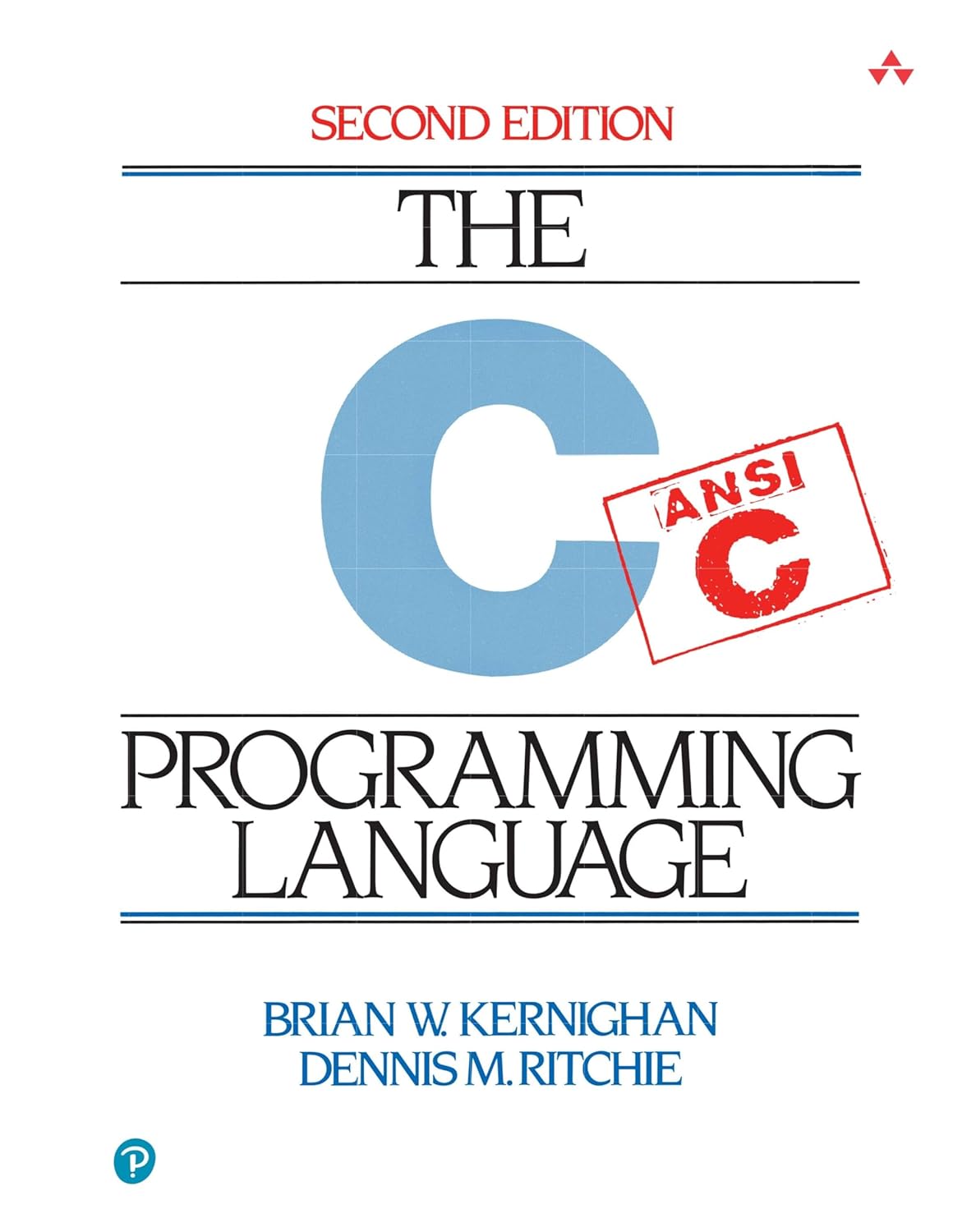
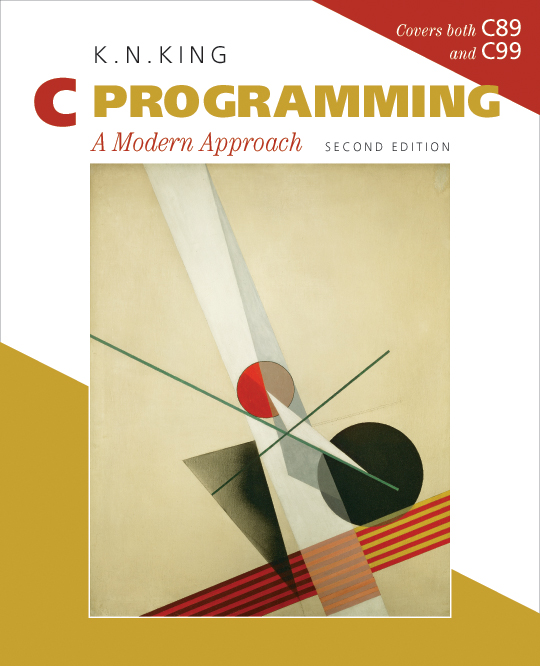
Back in the July 2023 Digest, I recommended the two most popular books on learning C programming: The C Programming Language, 2nd edition (1988), co-written by Brian Kernighan and the C language’s designer Dennis Ritchie, and C Programming: A Modern Approach, 2nd edition (2008), by K. N. King. As much as I love K&R, I prefer King. It’s clear, thorough, and highly interactive, with practical examples, exercises, and advice for aspiring programmers. I’ve read it cover to cover and have completed every exercise. It’s great. Don’t miss the official website for the book, including downloads for the example programs.
We’re living in an age of unreasonable textbook prices, and I wouldn’t blame anyone for preferring free on-line resources. Thankfully, there are plenty. Harvard CS50 is a full course that introduces programming partly (but not exclusively) through the C language, with text and video. The C Book (1991) by Banahan, Brady, and Doran is a complete introduction, released freely online by the authors. Beej’s Guide to C Programming has great technical coverage and plenty of examples, also free online. The comp.lang.c FAQ is a brain-tingling supplement to learning the language, though it’s not a starting point.
There are also excellent references for the language and standard library, worthy of a professional investment in the language (Harbison/Steele, Plauger, Hanson). If your interest is in programming for the MEGA65, I would hold off on these. Only a subset of the standard library is available, and anyone writing a game or large application for the MEGA65 is likely going to ignore the standard library and prefer custom libraries and direct hardware access, to best take advantage of the computer’s features—and to fit programs into the MEGA65’s limited memory resources.
OK! That’s quite a bit for a “part 1.” With not much more than a few files, we know enough to use the MEGA65 as a platform for learning the C language from common textbooks, and to get started controlling MEGA65 features from C programs. We’re currently limited to the first 64 KB of the MEGA65’s memory, both for storage space for the compiled program and for allocating memory for data and variables.
To grow beyond this, we’ll need to learn more about how to steer the Calypsi tool chain, how Calypsi manipulates the MEGA65 behind the scenes, and how to mix C and assembly language. In the next Digest, we’ll dive deeper into Calypsi’s feature set and see how to do common useful things on the MEGA65.
This Digest is made possible by readers like you! Thank you to everyone who has supported the Digest with one-time and recurring donations. If you’d like to see more MEGA65 articles like these, consider becoming a supporter. Visit: ko-fi.com/dddaaannn
C you later!—nope, nope, not doing that. Uh, just have a good month!
— Dan